How to make Wi-Fi IP static?
Most Wi-Fi networks use DHCP (Dynamic Host Configuration Protocol) to automatically assign IP addresses to devices that connect to the network. So, devices may receive different local IP addresses each time they connect. In this case, you can assign a static IP address.
1. Get Wi-Fi Gateway IP address
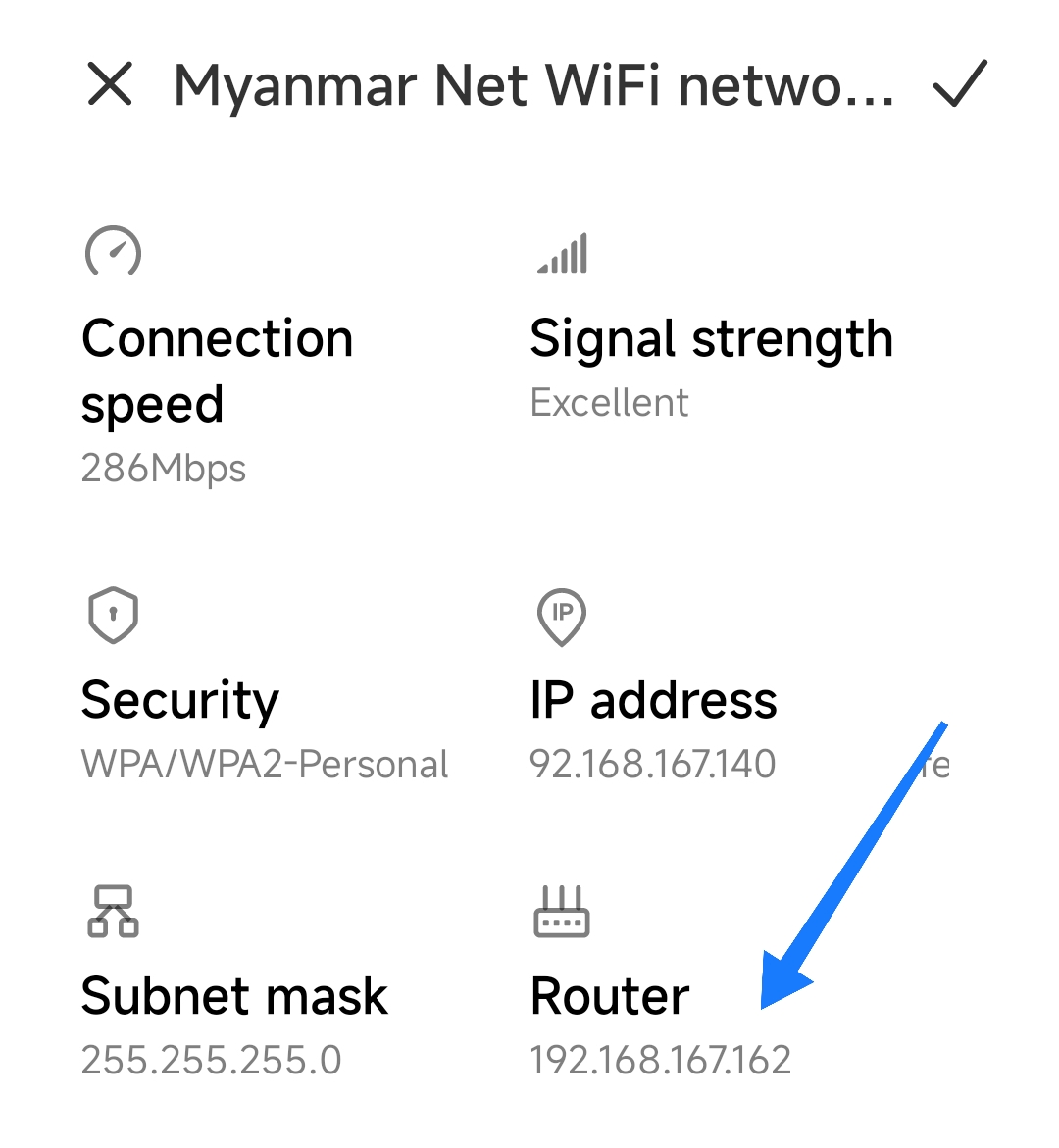
In Xiaomi devices, you can see Gateway IP (Router IP) from Settings > WLAN > Your Connected Wi-Fi > details.
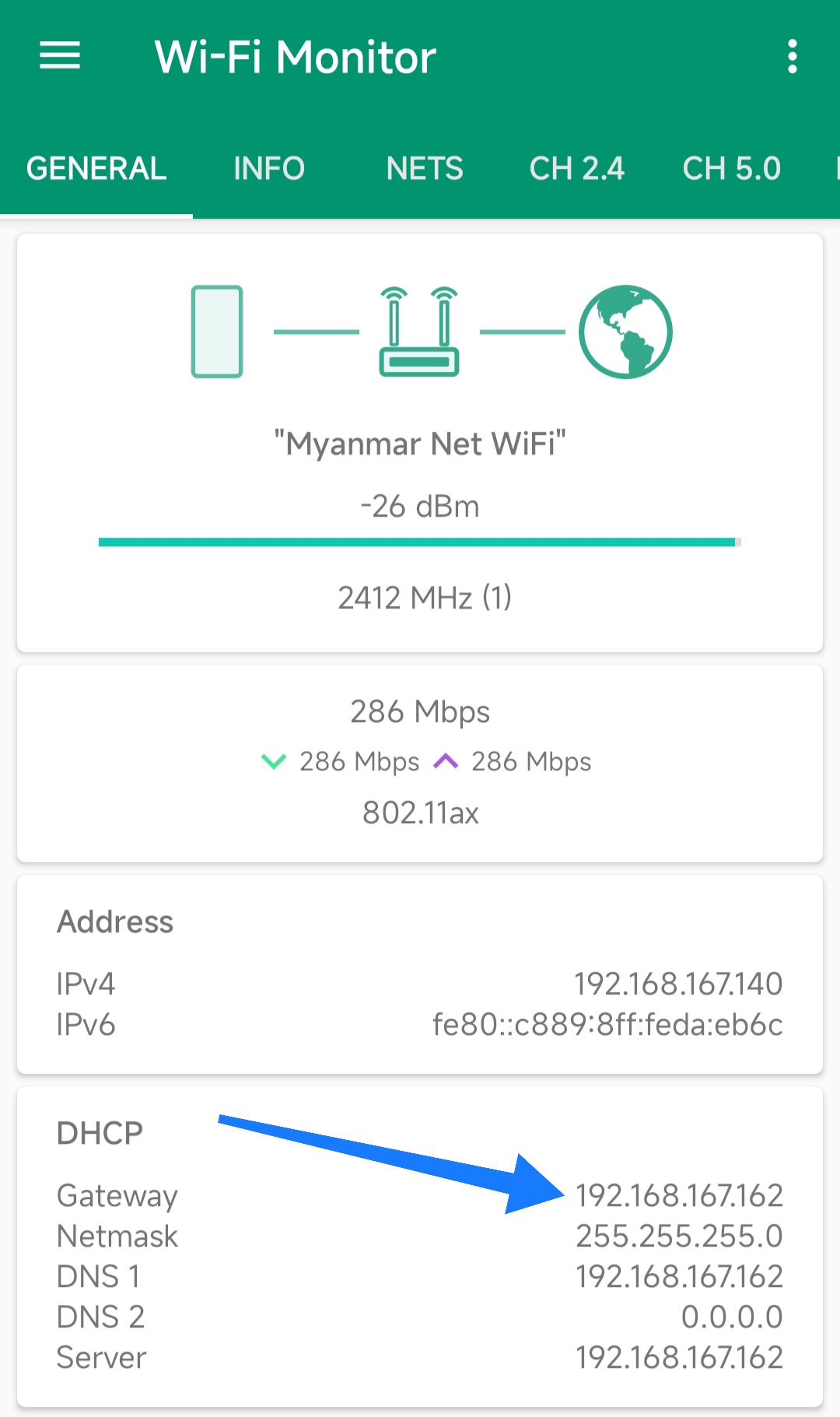
For other devices, you can see Gateway IP using Wi-Fi Monitor app.
Note
Wi-Fi Monitor app is not affiliated with the ADB Remote app.
2. Get assignable IP address
Simple Guide
If your Wi-Fi Gateway IP is
192.168.167.162, then the assignable
addresses are typically from 192.168.167.1
to 192.168.167.254.
Just pick one from that list
(avoiding the first and last numbers, which are
reserved). For example,
- 192.168.167.1
- 192.168.167.2
- 192.168.167.3
- ...
- 192.168.167.254 etc ..
Detailed explanation
To get an assignable static IP address, you first need to know Gateway IP and Subnet mask (Netmask). Note that an IPv4 address is made up of four groups (octets) ranging from 0 to 255.
For example, if your Wi-Fi Gateway IP is
192.168.167.162 and it is using the
common Subnet mask (Netmask)
255.255.255.0, your network falls under
the 192.168.167.0/24 range. In this range:
192.168.167.0 is the network identifier
(reserved). 192.168.167.255 is the
broadcast address (reserved). The assignable IP
addresses are from 192.168.167.1 to
192.168.167.254.
You can choose any available address within that assignable range.
3. Change IP settings to static
-
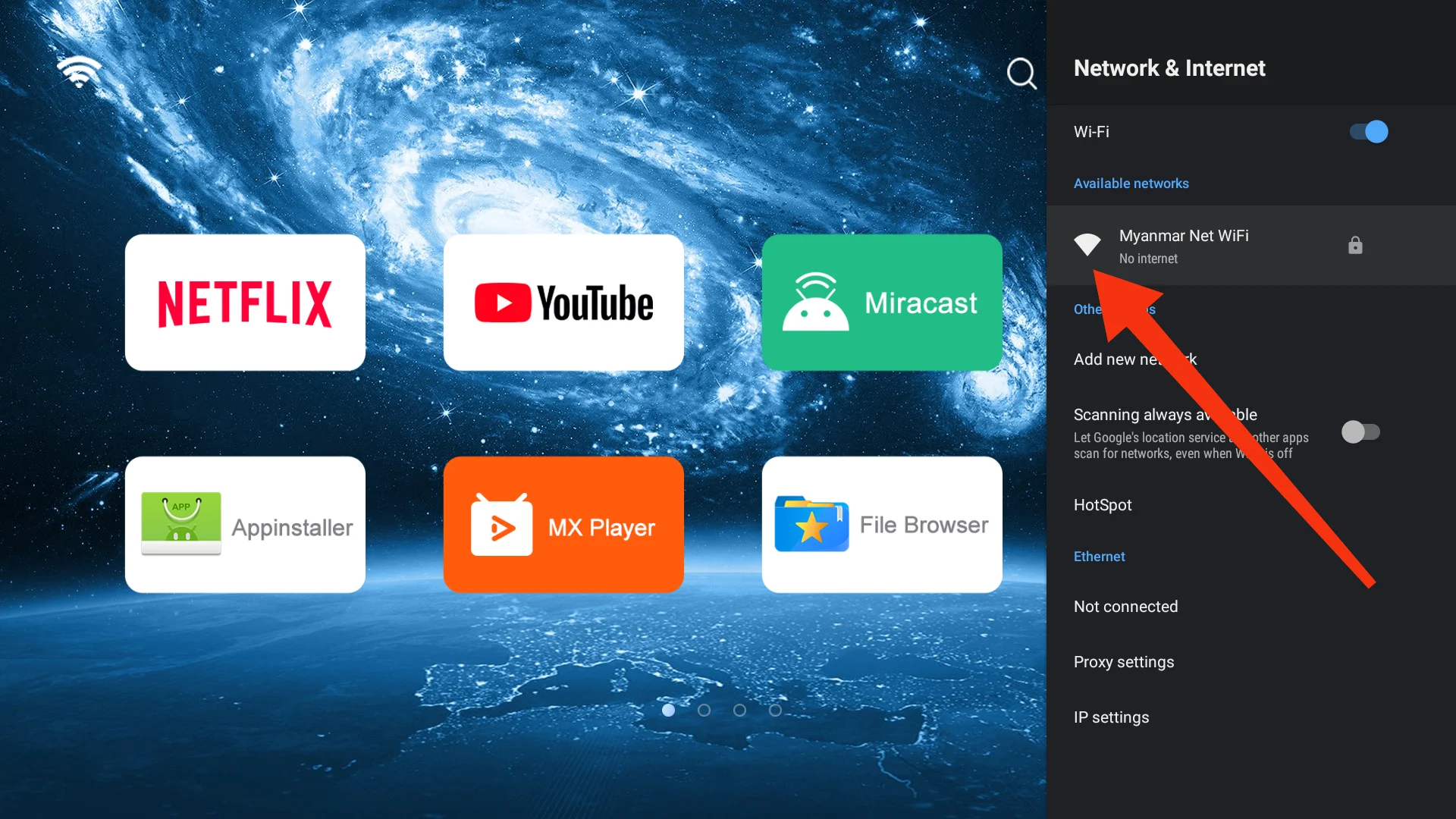
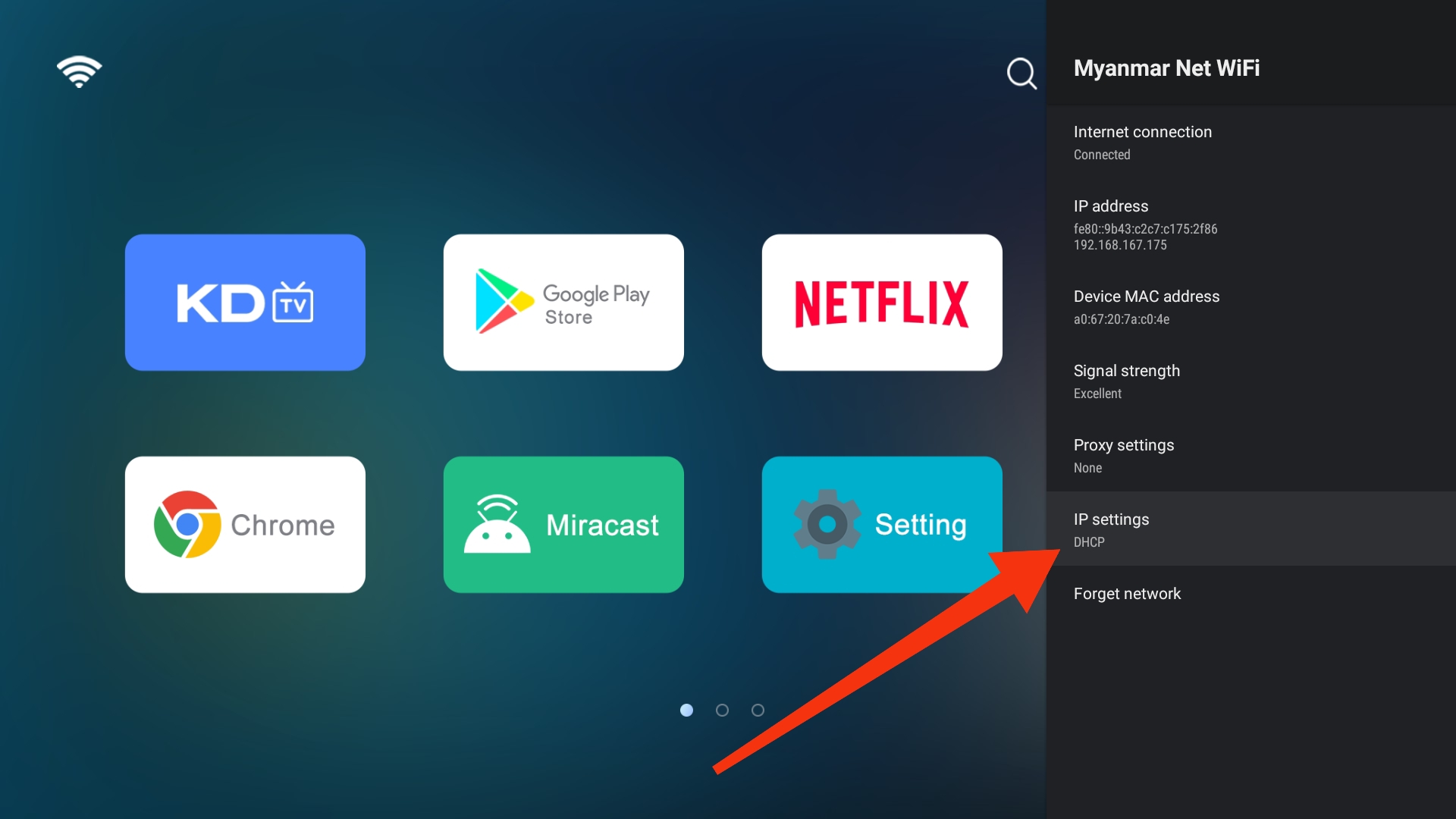
Open Settings on the target device, select Network and Internet, and then select your connected WiFi.
-
Click IP settings, and change from DHCP to Static.
-
In IP address field, set the assignable IP address you picked above. e.g.
192.168.167.1 -
In Gateway field, set the Gateway IP address from your Wi-Fi. e.g.
192.168.167.162 -
Leave the other fields as default. e.g.
Field Default value Network prefix length 24 DNS 1 8.8.8.8 DNS 2 8.8.4.4
Then, your Wi-Fi will use the static IP address you assigned. ✨