Wireless Debugging mode
To use Wireless Debugging mode, your target device must be running Android 11 or later and have the Wireless debugging option available in the Developer options.
Step 1. Enable USB Debugging
Enable USB Debugging on your target Android device. For more info, see How to enable USB Debugging?.
Step 2. Enable Wireless debugging
-
In your target device, enable Wireless debugging in Developer options. When a prompt dialog saying "Allow wireless debugging on this network?" shows, check Always allow on this network checkbox and click OK, then turn it on again.
-
Then, click Pair with pairing code.
Step 3. Fill required fields
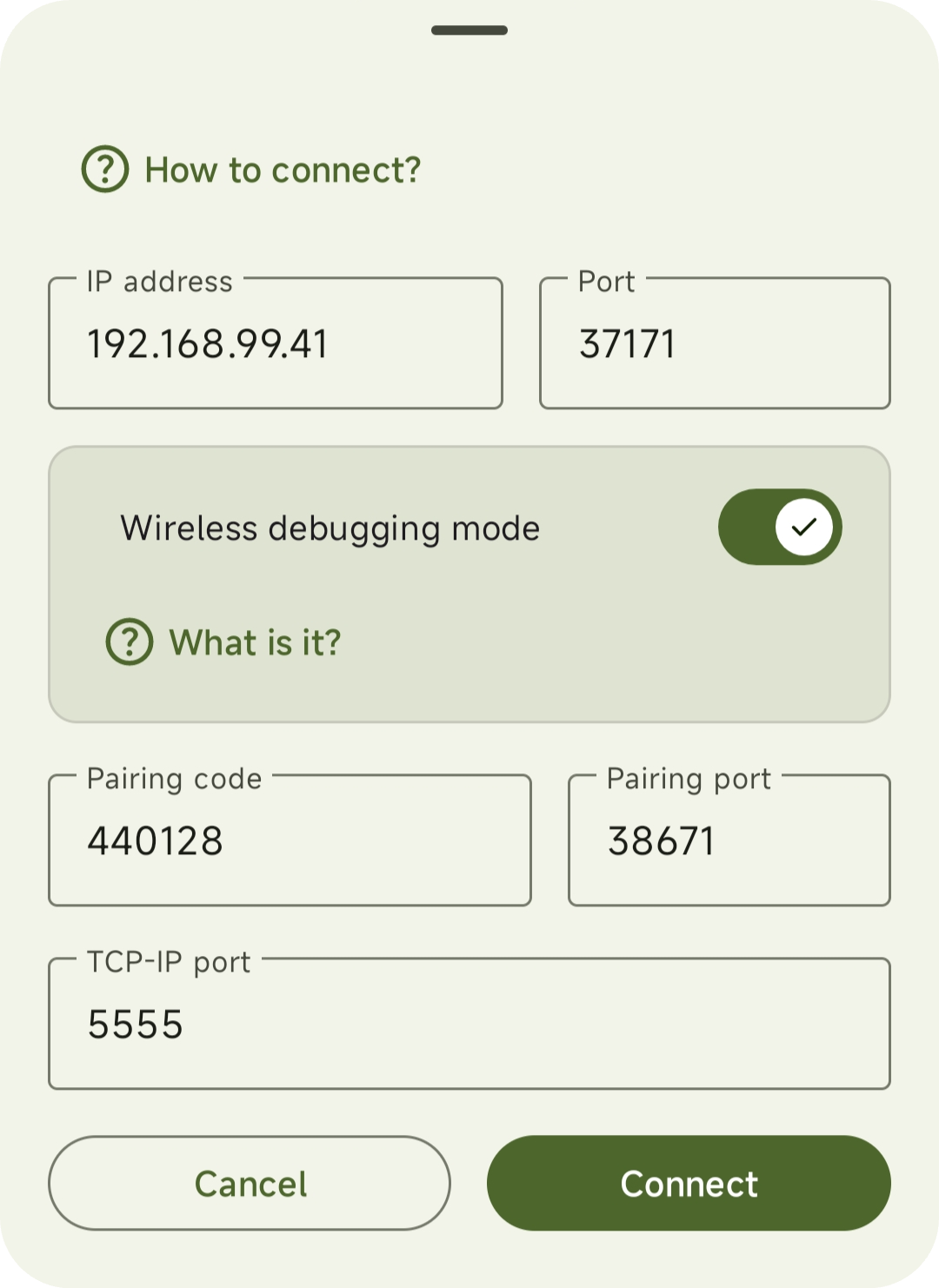
- In your phone, open ADB Remote app and enable Wireless debugging mode.
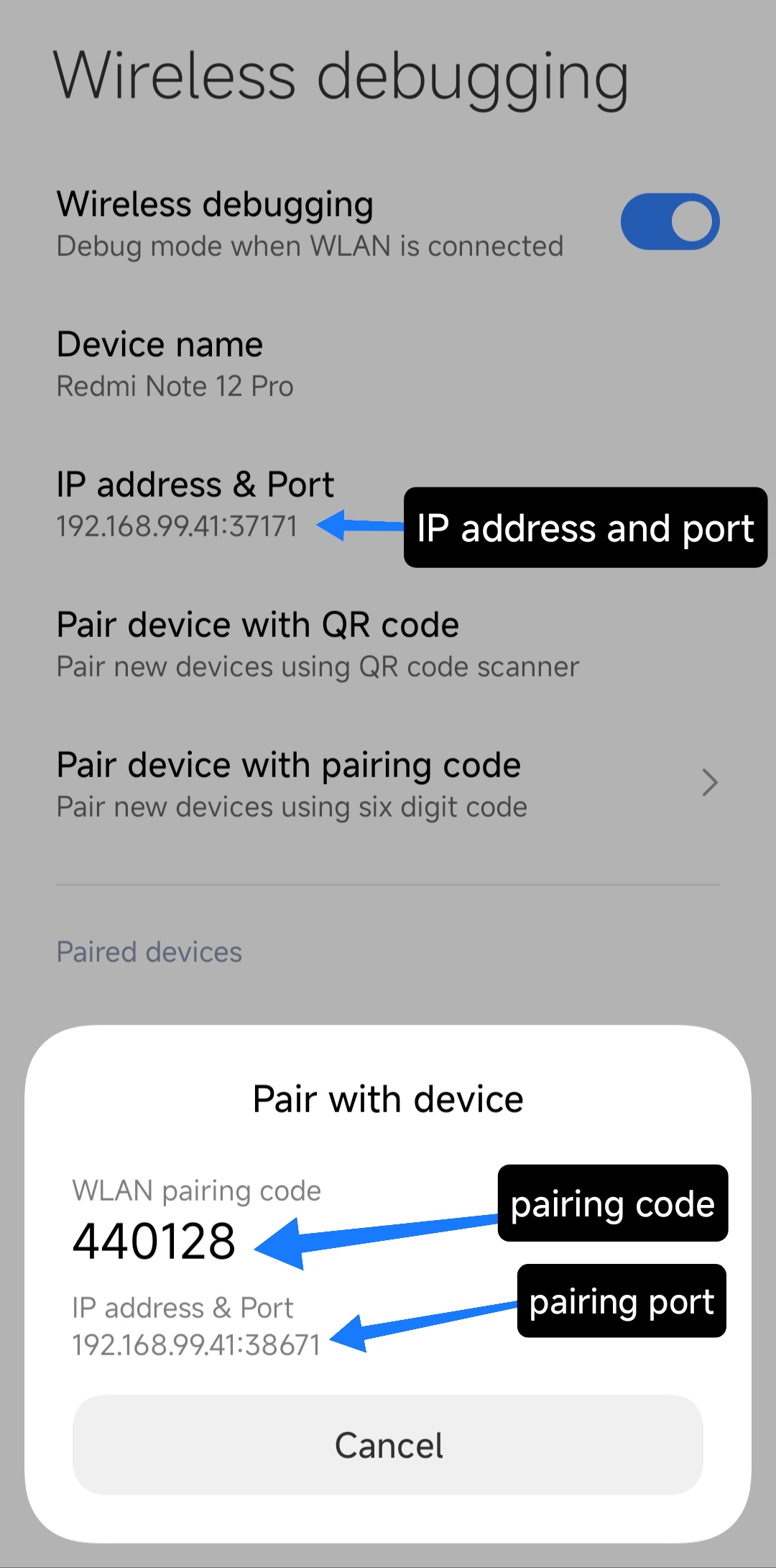
- Enter IP address and port from the 1st position.
- Enter pairing code and pairing port from the target device.
- Leave the TCP-IP port as default (5555), and then click Connect button.
IMPORTANT
If you see
error: device offline message, please
try again from the Step 1.